
Behavior Trees#
APS says what the AI believes; your Behavior Tree decides what to do. There are no APS tree nodes to learn: APS events write Blackboard keys, and standard decorators read them.
- Events write, the tree reads. Set Blackboard keys from APS events; don't poll APS from a service every tick.
- Take the target from On AI Detect and let it go on On AI Lost. Not from On Attention Changed: attention can name someone the AI only suspects, or a teammate.
- On On AI Lost, store the last known position, the cover and the loss reason, and let the tree branch on why it lost you.
The tutorial builds a full guard tree step by step. This page is the reference for the wiring.
Blackboard keys#
| Key | Type | Written by |
|---|---|---|
| TargetActor | Object (Actor) | On AI Detect |
| HasTarget | Bool | On AI Detect (true), On AI Lost (false) |
| LastKnownPosition | Vector | On AI Lost |
| PredictedPosition | Vector | On AI Lost |
| LastCoverActor | Object (Actor) | On AI Lost |
| SearchRadius | Float | On AI Lost (Get Uncertainty Radius) |
| LossReason | Enum, ELossReason | On AI Lost (Get Loss Reason) |
| LossDirection | Vector | On AI Lost (Get Loss Direction) |
| AwarenessLevel | Enum, EAwarenessLevel | On AI Awareness Changed |
| ThreatLevel | Enum, EThreatLevel | On AI Think Threat |
| CombatRole | Enum, ECombatRole | On Combat Role Assigned |
| InvestigateLocation | Vector | On AI Hear, On AI Suspect, On AI Squad Alert, On Location Belief Changed |
For an Enum key, set its Enum Type to the APS enum (ELossReason and the others) so Blackboard decorators can compare by name.
Wiring the events#
Bind these on the APS Core (or implement them in an APS Perception Listener), get the Blackboard from the AI's controller, and set the keys.
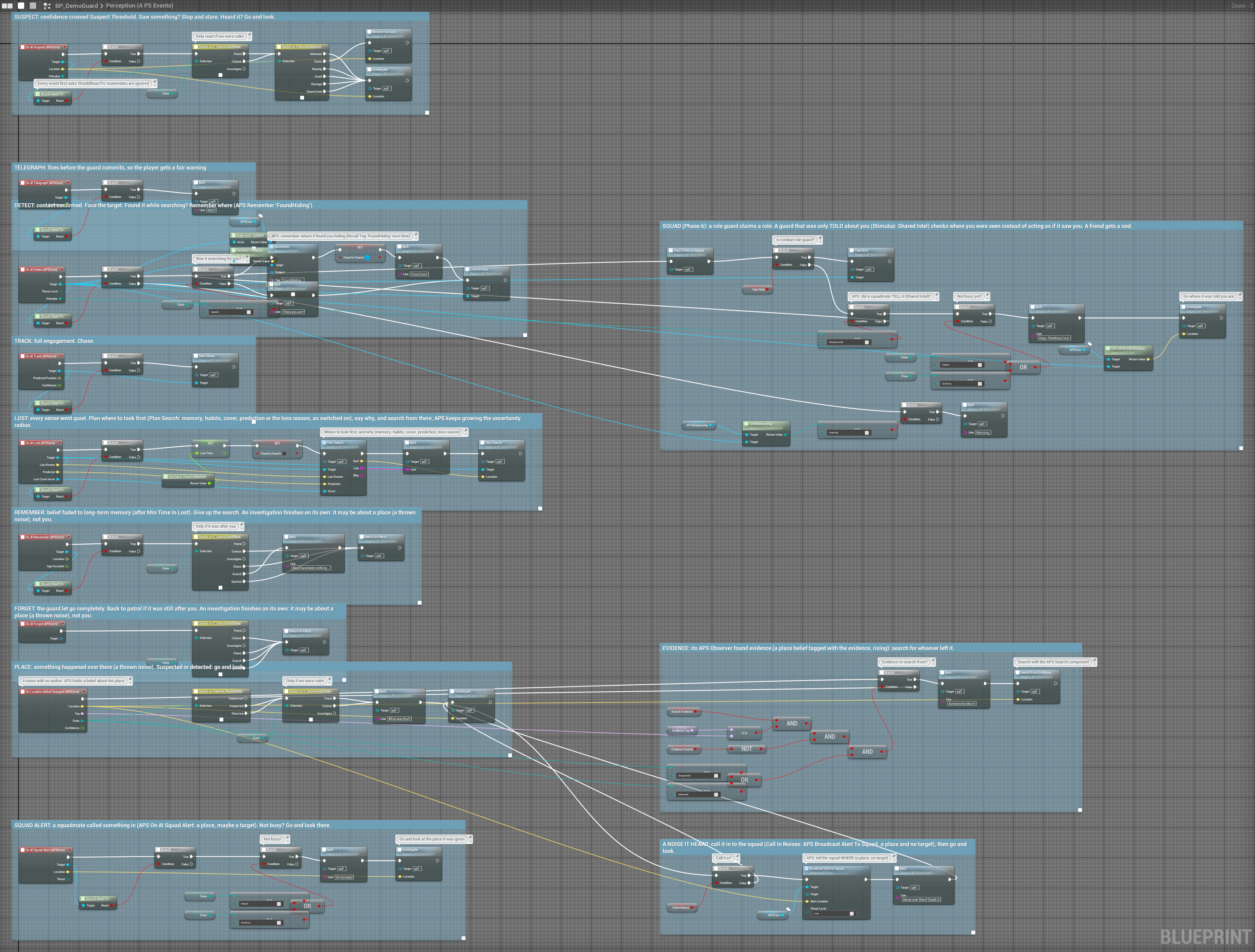
The target: when it is sure. On AI Detect fires when the AI is sure enough to act:
On AI Detect (Target, Threat Level, Stimulus)
  ├─► Set Value as Object (TargetActor, Target)
└─► Set Value as Bool (HasTarget, true)It also fires again when a chase slips back from Tracked to Detected; that only sets the same keys. Don't use On Attention Changed for this: attention can name someone the AI only suspects, or a teammate it has noticed (why).
Losing the target: drop the chase, set up the search.
On AI Lost (Target, Last Known, Predicted, Last Cover Actor)
  ├─► Set Value as Bool   (HasTarget, false)
  ├─► Set Value as Vector (LastKnownPosition, Last Known)
  ├─► Set Value as Vector (PredictedPosition, Predicted)
  ├─► Set Value as Object (LastCoverActor,    Last Cover Actor)
  ├─► Set Value as Float  (SearchRadius,      Get Uncertainty Radius (Target))
  ├─► Set Value as Enum   (LossReason,        Get Loss Reason (Target))
  └─► Set Value as Vector (LossDirection,     Get Loss Direction (Target))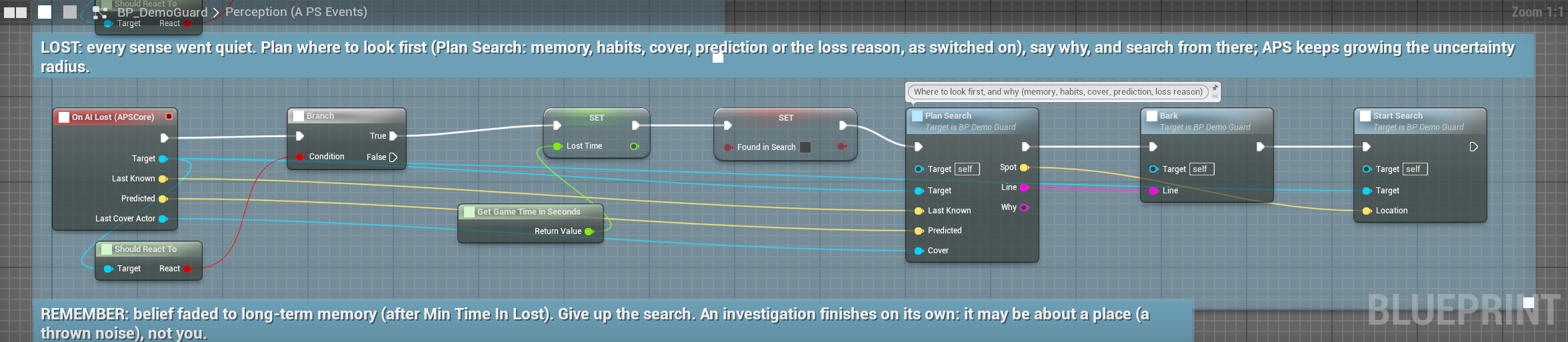
A noise: investigate, unless it is chasing.
On AI Hear (Location, Loudness, Sound Type Name)
  └─► Branch: HasTarget is false AND Sound Type Name is not None
True → Set Value as Vector (InvestigateLocation, Location)On AI Hear also fires between sounds while the noise build-up lasts, with Sound Type Name None and the player's position now. The None check keeps the guard going to where the sound was, instead of following the player through walls. Give every Sound Type a Sound Name. Hearing
A sound nobody made (a thrown can, a blast) is a belief about a place, not a target:
On Location Belief Changed (Location, Tag, State, Confidence)
  └─► Branch: State is Suspected AND HasTarget is false
        True → Set Value as Vector (InvestigateLocation, Location)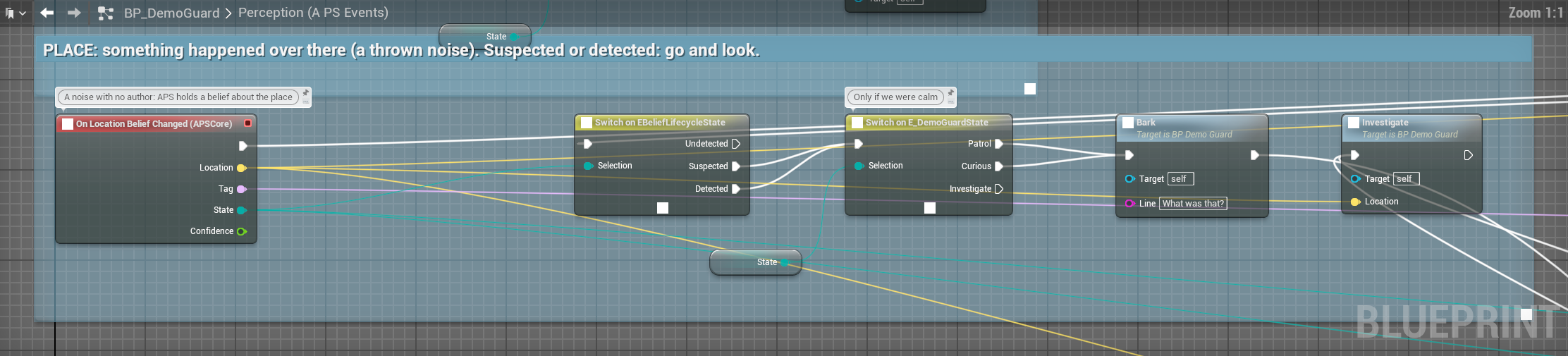
A squadmate's call:
On AI Squad Alert (Target, Location, Threat)
  └─► Branch: HasTarget is false
True → Set Value as Vector (InvestigateLocation, Location)Forgetting: on On AI Forget, clear LastKnownPosition and the tree falls back to patrol by itself.
Search by why it lost you#
The highest-value pattern in APS, and it is one selector. The loss reason is in On AI Lost's target: Get Loss Reason (Memory).
Selector: Search
├── [LossReason is Occluded]       it went behind something
│     MoveTo LastKnownPosition → MoveTo LastCoverActor → look around → check the far side
├── [LossReason is OutOfRange]     it walked out of sight or earshot
│     MoveTo LastKnownPosition → MoveTo (LastKnownPosition + LossDirection × 500) → widen the search
├── [LossReason is SoundFaded]     it was only a noise
│     MoveTo LastKnownPosition → look around → back to patrol (don't chase)
├── [LossReason is ScentLost]      the trail went cold
│     MoveTo LastKnownPosition → step along LossDirection, sniffing at each step
├── [LossReason is SensorDropout]  dark, cloaked, or it was blinded
│     look around → back to patrol
└── Default
search around LastKnownPosition within SearchRadiusAn AI that runs to the corner you hid behind reads as smart; the same AI walking a generic circle reads as dumb. Same code, a different branch.
Searching an area#
- APS Search (the best): Begin Search at LastKnownPosition, then a task that moves to Get Best Search Point until Is Search Exhausted. It spreads at your speed, stays on the navmesh, and clears where it has walked. Search & evidence
- EQS: pass SearchRadius as a query parameter and use it as the generator's radius around LastKnownPosition.
- Neither: a task that moves to Get Random Reachable Point in Radius (LastKnownPosition, SearchRadius), looks around, and loops three or four times. SearchRadius grows while you stay hidden, so the search spirals outward by itself.
Decorators#
| Decorator | Use |
|---|---|
| Blackboard: HasTarget is set | Gate the whole combat branch |
| Blackboard: AwarenessLevel is Alerted or Fully Aware | Gate aggressive behaviour |
| Blackboard: ThreatLevel is High or Critical | Gate committing to a fight |
| Blackboard: CombatRole is Flanker | Gate the flank branch |
| A Blueprint decorator: Has Threat at or Above (High) | The cleanest threat check |
| A Blueprint decorator: Get Total Pain Level > 0.5 | A hurt, impaired branch |
| A Blueprint decorator: Get Attention Duration > 15 | "I've chased this too long: give up" |
A complete tree#
Root
└── Selector
    ├── [HasTarget]                COMBAT
    │   └── Selector
    │       ├── [ThreatLevel is High or Critical]  engage
    │       ├── [CombatRole is Flanker]            flank to TargetActor
    │       └── approach TargetActor
    ├── [LastKnownPosition is set]  SEARCH: the selector above
    ├── [InvestigateLocation is set] INVESTIGATE
    │   └── MoveTo InvestigateLocation → look around → clear InvestigateLocation
└── PATROL: your patrol loopReacting before the tree moves#
Two events make an AI feel alive without touching the tree:
On AI Telegraph (Target, Confidence)
  ├─► play "Hm?"
  └─► Set Focus (Target)                         // the head turns

On AI Suspect (Target, Location, Stimulus)
└─► Set Value as Vector (InvestigateLocation, Location)It turns, says something, and then the tree walks it over. The player sees the whole chain.
Several targets#
With one player, On AI Detect and On AI Lost are all you need. With several, a second On AI Detect moves TargetActor to the newcomer, and On AI Lost about one target drops the chase of another: compare Target with TargetActor first. To pick between targets it has detected, use Get Attention Target (sticky, so it doesn't flick between two), and check Get Awareness Level for Target is Suspicious or more before you chase it. Get Targets Sorted by Score gives every actor it holds a belief about, best first: even ones still Undetected, never things, places or Expired ones; break each Belief Record for its Threat Level, Smoothed Confidence, Last Known Position and Relationship. Use it to pick the most threatening target for a suppressor, count who is in sight, or retreat when three are Tracked.
Shared intel#
On AI Detect (Target, Threat Level, Stimulus)
  └─► Branch: Stimulus is Shared Intel
        True  → approach carefully, weapon lowered, don't fire yet
False → it saw this itself: engageWithout this branch a squad is telepathic. Squads & teams
Performance#
- Push from events; don't call APS queries from a service every tick.
- If you must poll, run the service every 0.2 to 0.5 s: perception updates every 0.1 s by default (
Base Update Interval), so faster polling only rereads the same answer. - Get Belief Data copies the whole record: in hot paths prefer the narrow queries (Get Last Known Position, Get Loss Reason).