
Hearing & sounds#
An APS guard hears exactly what your game says is audible: every sound is something you emit, with a type that says how loud it is and how far it carries.
- Make a Sound Type Definition per kind of sound: loudness and range.
- Call Emit Sound where the sound happens: from an actor (a footstep), or Emit Sound at Location from a place (a thrown can).
- Walls muffle, repeats add up: one creak is ignored, a creak every half second gives you away.
1. Make a sound type#
Content Browser → right-click → Miscellaneous → Data Asset → SoundTypeDefinition. One per kind of sound.
| Setting | Default | What it does |
|---|---|---|
Sound Name | (none) | The sound's name. On AI Hear passes it as Sound Type Name so you can branch on it, and it becomes the sound's stimulus tag, Stimulus.Sound.<name> (see below). |
Category | Enemy | Enemy, Friendly, Animal, Environment or Custom: for filters |
Alert Level | Normal | Whisper, Normal, Loud or Explosive: for filters |
Base Loudness | 1 | 1 a footstep, 3 a gunshot, 0.3 a whisper |
Max Range | 1500 | How far it carries, in cm. Nothing beyond is even considered. |
Location Accuracy Override | 0 | How precisely a hearer places it, 0 to 1: 0.9 a gunshot, 0.2 a distant thud. 0 works it out from distance. |
Max LODTier | 2 | The lowest level of detail that still hears it: footstep 1, gunshot 3, explosion 4 |
Max Pending Per Tick | 3 | How many sounds of this type queue per AI per tick. Past that, the quietest is replaced by a louder one. |
Go deeperA starter set
| Asset | Category | Alert | Loudness | Range | LOD tier |
|---|---|---|---|---|---|
| Footstep | Enemy | Normal | 1.0 | 800 | 1 |
| Sprint | Enemy | Loud | 1.8 | 1600 | 2 |
| Crouched step | Enemy | Whisper | 0.3 | 300 | 0 |
| Reload | Enemy | Normal | 1.2 | 1000 | 1 |
| Gunshot | Enemy | Loud | 3.0 | 4000 | 3 |
| Suppressed shot | Enemy | Whisper | 0.6 | 900 | 1 |
Explosion (Sound Name Explosion) | Environment | Explosive | 5.0 | 10000 | 4 |
| Glass break | Environment | Loud | 2.0 | 2500 | 3 |
| Door | Environment | Normal | 1.0 | 1200 | 2 |
| Thrown rock | Environment | Normal | 1.4 | 1800 | 2 |
| Animal call | Animal | Normal | 1.5 | 2000 | 2 |
| Radio chatter | Friendly | Normal | 1.0 | 1500 | 1 |
2. Emit it#
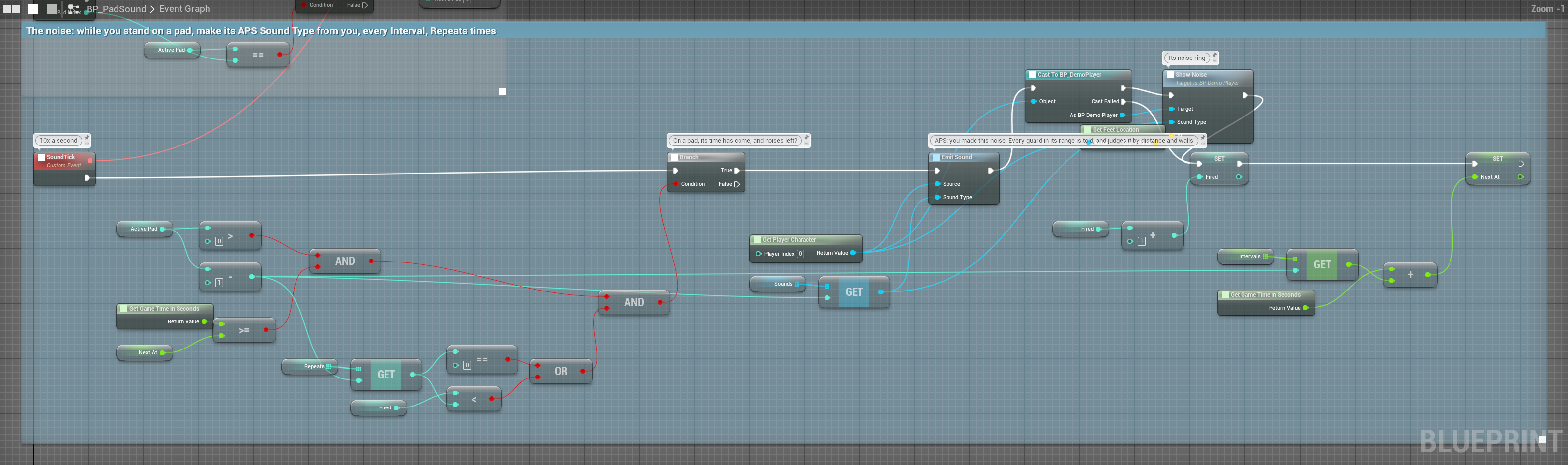
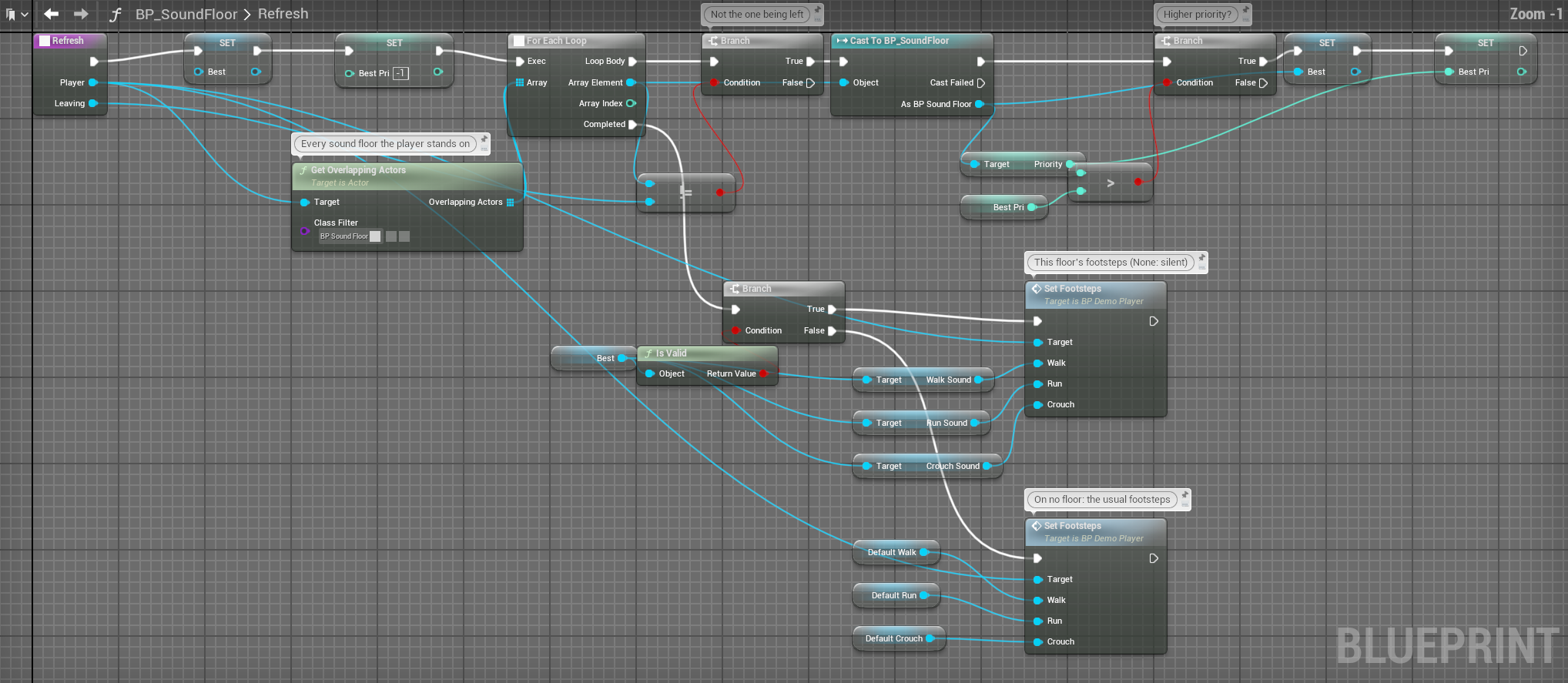
Both nodes work from any Blueprint, with no component to find (category Perception › Sound). They only feed perception: play your actual audio as you always do.
| Node | For | What the AI forms |
|---|---|---|
| Emit Sound (Source, Sound Type) | Sounds someone makes: footsteps, reloads, grunts, shots | A belief about who made it: the Source |
| Emit Sound at Location (Sound Location, Sound Type) | Sounds nobody made: explosions, traps, a thrown can, breaking glass | A belief about the place |
| Sound | Where to call it |
|---|---|
| Footsteps | An anim notify on the walk and run animations |
| Sprinting, crouched steps | The same notify: branch on speed or crouch and pick another asset |
| Weapon fire | Your fire function, next to the muzzle effect |
| Reload | The reload montage's notify |
| Doors | The door's open and close event |
| Thrown objects | The projectile's hit event, with Emit Sound at Location |
| Explosions | Where you call Apply Radial Damage |
3. How a sound reaches an AI#
For every AI in range, cheapest checks first, so a footstep across the map costs almost nothing:
- RangeBeyond the sound's Max Range: skipped.
- Level of detailThe AI's tier above Max LODTier: skipped.
- CategoryNot accepted by the AI's filter: skipped.
- Alert levelBelow the filter's minimum: skipped.
- TeamSame team, and the filter ignores its team: skipped.
- WallsOnly now the expensive trace.
Then it is weighed: distance 1 − (distance / Max Range)², and every wall in between multiplies it by exp(−Wall Absorption Coeff), so two walls muffle more than one. The walls are counted along a line from the AI's ear (64 cm above its location) to the sound; each solid actor counts once. Pawns aren't walls, nor is anything that only overlaps (a trigger volume), nor the thing making the sound.
heard = Base Loudness × filter's Loudness Multiplier × (1 − (distance / Max Range)²)
× exp(−Wall Absorption Coeff × walls) × weatherMax Range here is the sound's, times the Hearing Range Scale of the environment the listener stands in (a crowded market below 1: see World).
Loudness above 1 mostly makes a sound carry further, not louder up close: confidence tops out at 1, so a gunshot at 3 stays at full confidence out to a much greater distance.
4. Noises add up#
One distant footstep is a blip; a series in the same place builds toward Suspected and then Detected. Each sound adds as much as it was heard: a step behind two walls adds less than one in the open. The AI uses the higher of the single sound and the build-up, so building up can only help.
| Setting | Default | What it does |
|---|---|---|
Sound Accumulation Rate | 0.5 | How fast repeated sounds build up |
Sound Accumulation Hold Time | 1.0 | Seconds of silence before the build-up starts fading |
Sound Accumulation Decay Rate | 0.2 | How fast it fades after that |
Wall Absorption Coeff | 0.4 | How much each wall muffles: at 0.4 a wall takes a third off. 1.5 or more makes walls really count. |
How fast: each sound adds what it was heard at × Sound Accumulation Rate × 0.1. At the default 0.5, a footstep every half second takes about 10 seconds to add up past a single step, then keeps climbing for as long as it goes on. For an AI that adds noises up quickly, raise the rate: at 2 it is four times as fast.
The build-up is the same at every level of detail: a far, cheaper AI isn't quicker or slower to add up the same footsteps.
The design lever: a player who moves in short bursts, pausing longer than the hold time, keeps the build-up draining and stays under Suspected. One who runs without stopping builds past it. That is the core stealth loop: tune it with these numbers and the profile's thresholds.
5. Sounds nobody made#
Emit Sound at Location has no maker, so it says nothing about any particular person. The AI forms a belief about the place instead, with its own states, tagged with the sound's Sound Name:
- Its confidence is how loud the sound arrived: weighed by distance and each wall, like any other sound. A can at the guard's feet is surer than one at the edge of its range or behind a wall.
- Its precision is the sound's
Location Accuracy Override, or 0.4. - Repeats in the same spot merge into one belief.
- Once the noise stops it fades like any belief (Lost, Remembered, Expired), so an old noise doesn't hold the AI forever.
Read it with On Location Belief Changed (location, tag, state, confidence) or Get Strongest Location Belief. On AI Hear does not fire for these: there is no one to fire it about.
Projectile hits something
  ├─► Spawn Sound at Location      (your audio)
  └─► Emit Sound at Location       (Hit Location, DA_Sound_Thrown_Rock)

On Location Belief Changed (Location, Tag, State, Confidence)
  └─► Branch: State is Suspected
        True → set "InvestigateLocation" = Location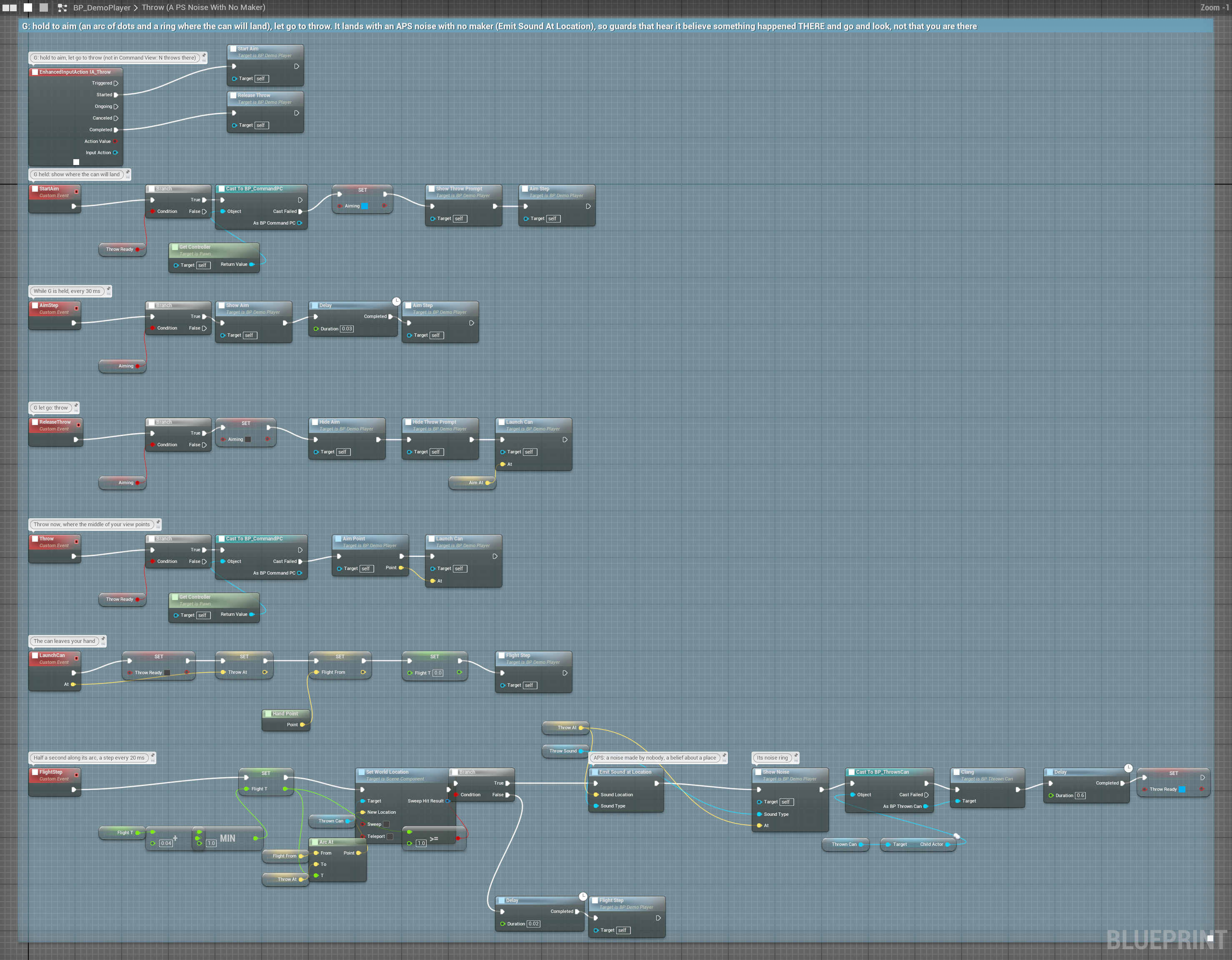
A classic stealth distraction, with nothing more to build.
6. Filters: hear only what matters#
Give an AI a Sound Filter Profile (Data Asset → SoundFilterProfile), set in its profile's Detection › Sound Filter:
| Setting | Default | What it does |
|---|---|---|
Enabled | On | Off hears everything |
Accepted Categories | Enemy, Animal, Environment, Custom | The categories it reacts to. An empty list makes it deaf. |
Min Alert Level | Whisper | Whisper reacts to everything; Loud only to gunshots and up; Explosive only to explosions |
Loudness Multiplier | 1 | 2 for a dog's ears, 0.5 for hard of hearing |
Filter Friendly Team | Off | Ignore sounds made by its own team: the team is read from the actor, else its controller, else whoever launched it |
| A filter for | Categories | Min alert | Loudness |
|---|---|---|---|
| A dog | all | Whisper | 2.0: hears your crouched steps |
| Heavy armour | Enemy, Environment | Loud | 0.6: deaf to footsteps, reacts to gunfire |
| A civilian | Enemy, Environment | Normal | 1.0, ignoring its own faction |
| A predator | Animal, Enemy | Whisper | 1.5: hunts by sound, ignores machinery and radio |
7. Reading what it heard#
On AI Hear (Location, Loudness, Sound Type Name)
  └─► Switch on Name (Sound Type Name)
        ├─ Gunshot  → Broadcast Alert to Squad, sprint to Location
        ├─ Footstep → walk to Location, look around
        ├─ None     → (build-up only, no new sound) keep doing what you were
└─ Default → turn to face LocationOn AI Hear fires on every hearing update that hears someone, not once per sound: when a sound arrives, and again on each update after it while the build-up lasts (see Noises add up). It has no Target pin.
- Location is the position of whoever made the sound, as it is at that update: on a build-up update, where they are now. How precisely the AI places it shows in its uncertainty radius (Get Uncertainty Radius), from
Location Accuracy Overrideor the distance. - Sound Type Name is the name of the first sound the AI heard that update, and None on an update with no new sound (build-up only). With several sounds arriving at once, branch on what matters most rather than trusting one name.
- For one event per sound, with who made it, use On Sound Heard instead (below).
- On Sound Heard (on APS Core) gives every sound the AI hears, with how loud it arrived, how many walls it came through and whether the path was clear. Get Recent Sounds returns those heard in the last however many seconds you ask for, up to the last 6 seconds (32 sounds at most): it needs Record Heard Sounds, which is on by itself while a Visualizer is shown or On Sound Heard is bound.
Go deeperExplosions shake the ground
Emit Sound and Emit Sound at Location also send a stimulus tagged Stimulus.Sound.<Sound Name>, with a strength of the loudness ÷ 3. The Vibration Sense listens for Stimulus.Sound.Explosion, so an explosion shakes the ground for AI that hunt by vibration, **only if that asset's Sound Name is exactly Explosion**. Name it carefully: it is not just a label. Your own C++ senses can listen for other sounds the same way (Custom senses).
When something's wrong#
| Problem | Cause |
|---|---|
| It hears nothing at all | Hearing Sense isn't in Sense Classes, or nothing calls Emit Sound |
| It never hears one sound type | Max Range too small, or its filter rejects the category or alert level |
| Far AI ignore an important sound | Raise the sound's Max LODTier (explosions: 4) |
| It hears through solid walls | Raise Wall Absorption Coeff, and check your walls block the Visibility channel |
| Walls barely muffle anything | At 0.4 each wall takes only a third off: try 1.5 or more |
| A trigger box muffles sound | It shouldn't: only blocking hits count. Give triggers the Trigger collision preset; a box that blocks Visibility is a wall. |
| It reacts to every single footstep | Lower Sound Accumulation Rate, raise Suspect Threshold, or give it a filter with a higher Min Alert Level |
| Explosions don't reach vibration AI | The asset's Sound Name must be exactly Explosion |
| A filter made it deaf | Accepted Categories is empty: that means nothing, not everything |
| A noise nobody made never fires On AI Hear | Right: it is a belief about a place. Bind On Location Belief Changed. |